

Invoicing Guide
Invoicing Guide
Invoicing Guide
When you need to pay suppliers in China, you can use 2b2u’s China Bank Transfer or Alipay Transfer service, and receive a product invoice.
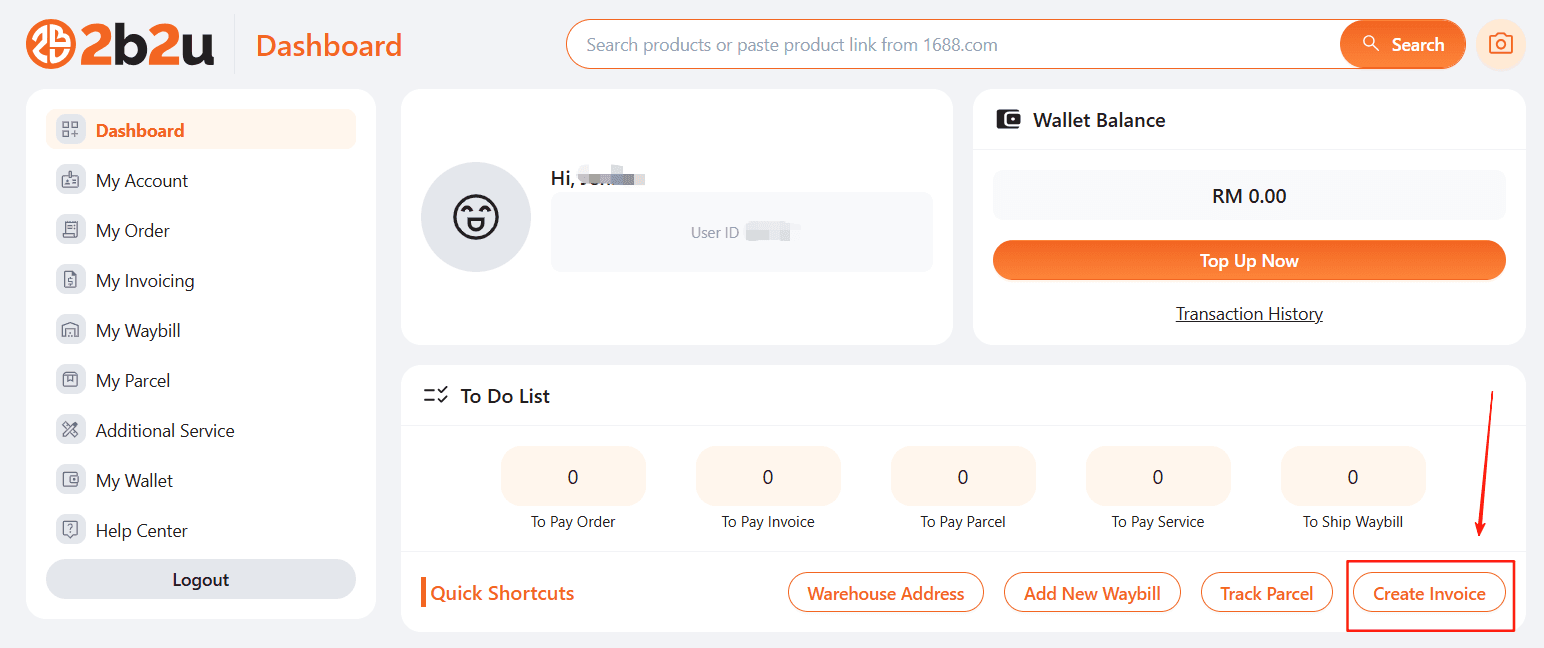
Step 1: Create Invoice
Go to Dashboard, click “Create Invoice”, and start filling in the details.
Step 2: Choose transfer method
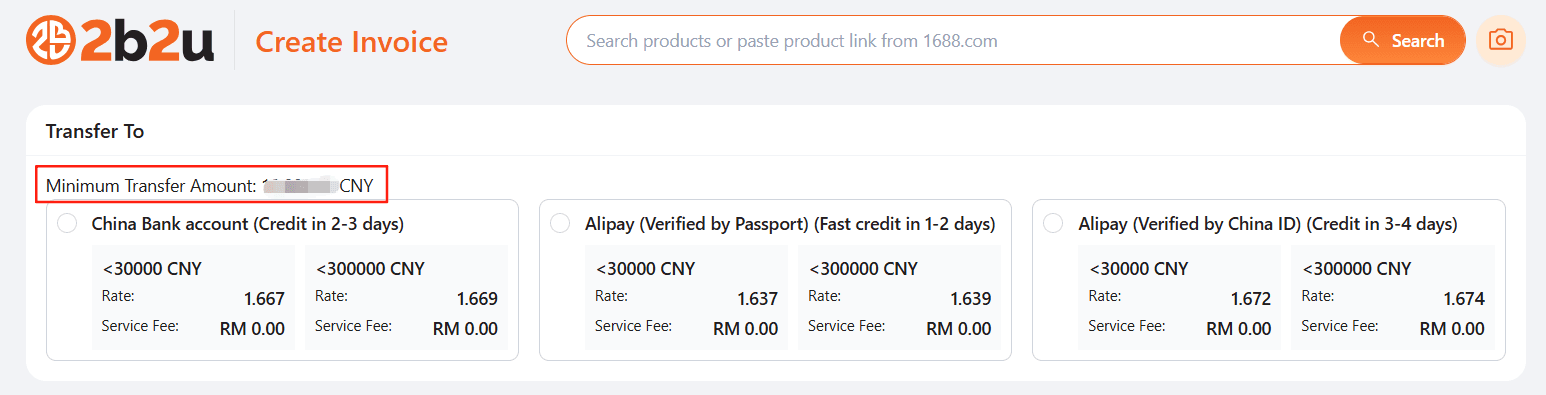
Exchange rates vary depending on the method. Please check the real-time rate shown in the system. Each transfer must meet the minimum amount requirement.
For Alipay: China accounts are ID-certified, while foreign accounts (e.g. Malaysians) are passport-certified. Please select based on the seller’s account type.
Step 3: Enter billing address
Provide your billing address so that an invoice can be issued.

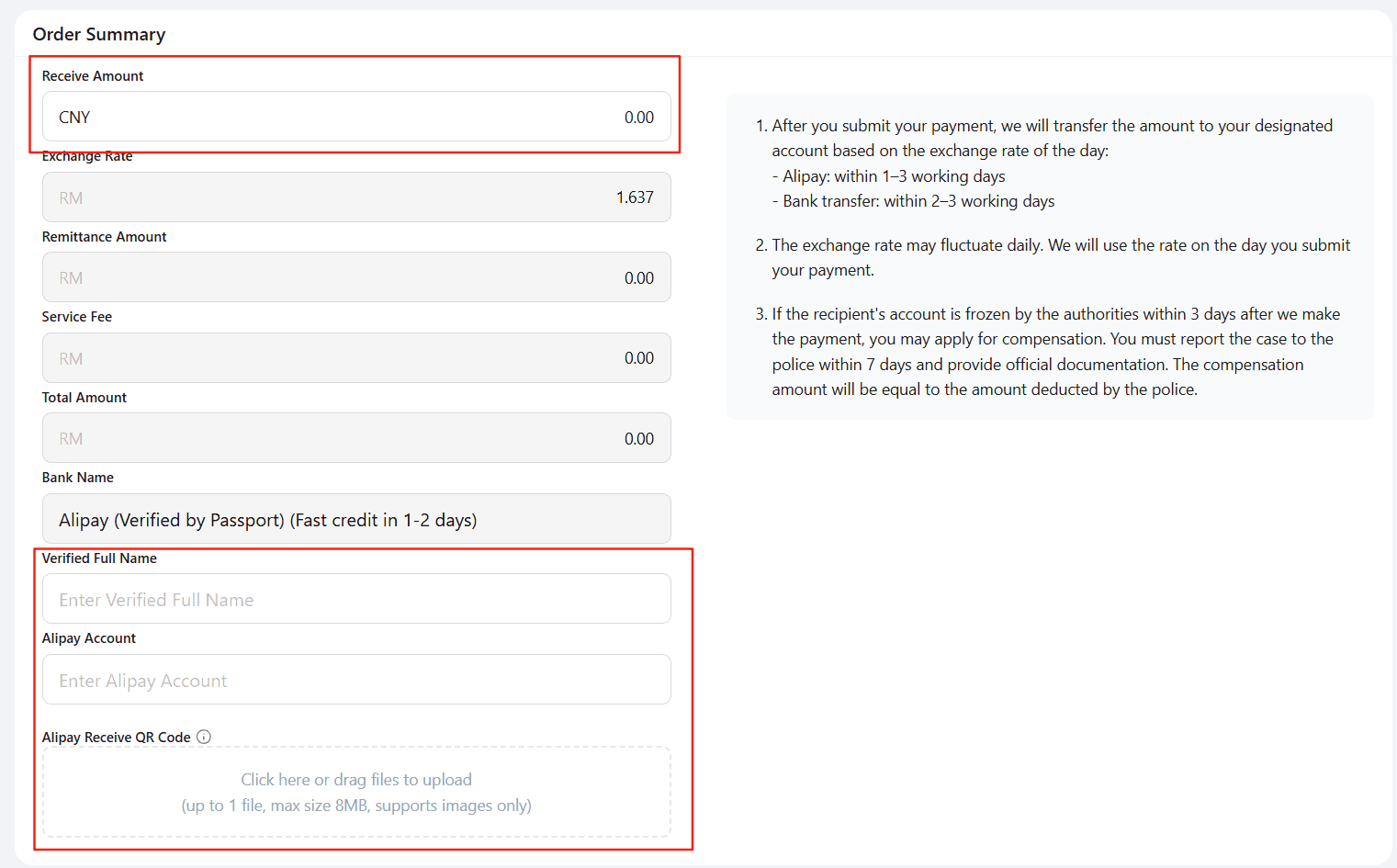
Step 4: Enter transfer amount & recipient details
Enter the transfer amount. The system will automatically calculate the total amount in MYR. Provide the seller’s account details or QR code (for Alipay, upload the QR code).
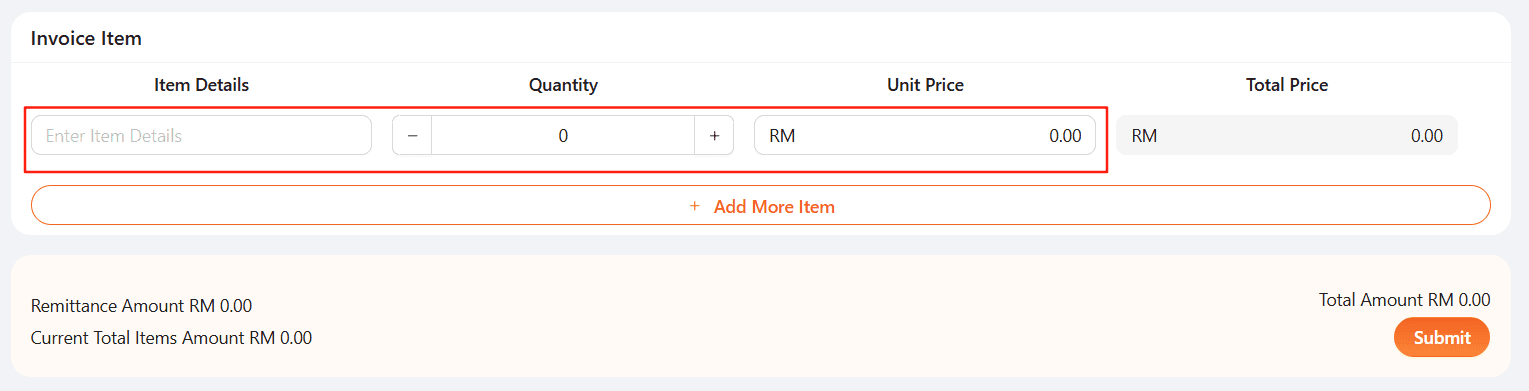
Step 5: Enter invoice details
You may add multiple items in one bill. The total invoice value must match the total payment amount in MYR.
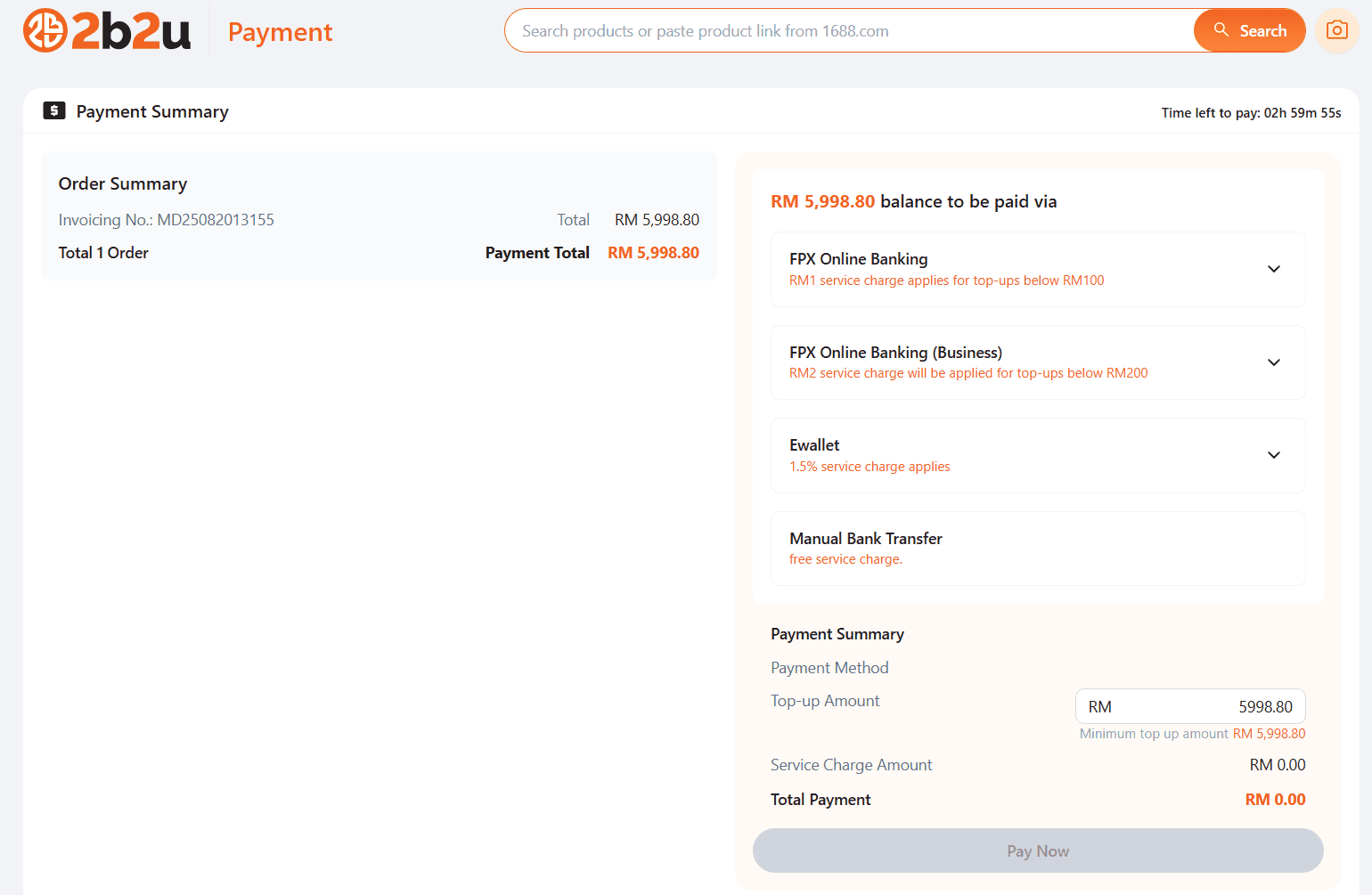
Step 6: Make payment
We support balance payment, FPX bank transfer, e-wallets, or manual bank transfers.
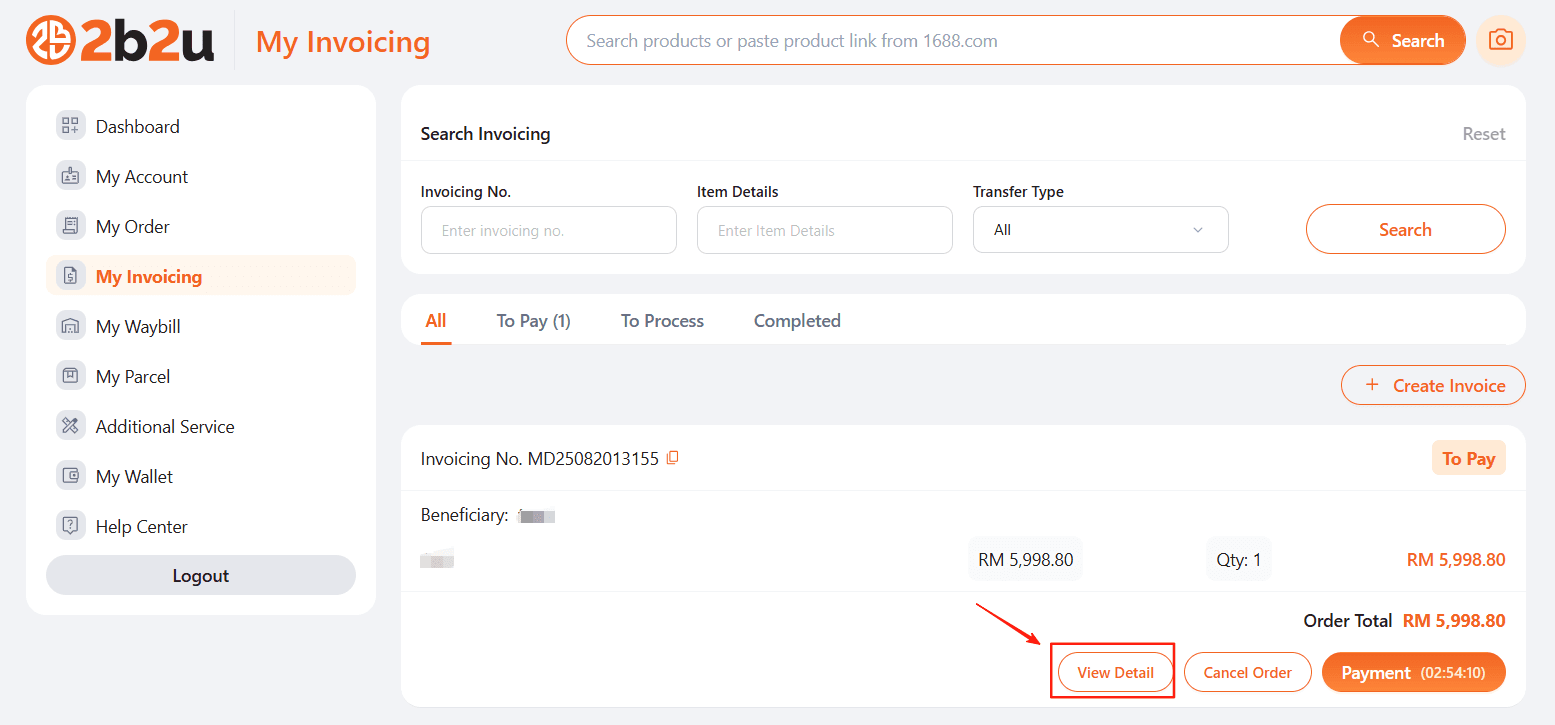
Step 7: Wait for processing
After submission, you can check your transfer and invoice status under “My Invoicing”.
Need help? Feel free to contact our 2b2u customer service anytime.
- Malaysia’s only end-to-end sourcing platform for China factory goods
is Malaysia’s first platform dedicated to providing a complete end-to-end solution for sourcing from China, covering every step from product selection and order processing to RMB payment and logistics. We integrate resources from top platforms like 1688 and Taobao Factory, connecting with over 1 million quality Chinese manufacturers to offer access to more than 100 million factory-direct products. By cutting out the middlemen, we help you significantly reduce procurement costs through direct factory sourcing. As a subsidiary of Revenue Group Berhad (Stock Code: 0200), 2b2u has earned the trust of Malaysian SMEs, online sellers, and wholesalers through our professional team, standardized processes, and high transparency — making us the ideal partner to expand your supply chain in China.
© 2026 (). All rights reserved.
Home
Menu
Cart
Help
Me